

Choose your innovation crowd.
Control who can collaborate how and when in your innovation process - then let them comment, rate, assign and more.
Who Should See What in Your Innovation Process?
Your innovation teams face different tasks at different stages. Engineers submit ideas. Experts evaluate them. Department leaders decide which ideas move forward. Executives review progress dashboards. Each group needs access to specific parts of your innovation process at the right time.
Ideanote gives you precise control over who sees and does what in each idea collection. When you create a collection, you decide who joins. Share it with your entire workspace or limit it to specific teams. Define who creates ideas, who views them, and who manages the collection.
Phase-Based Permissions
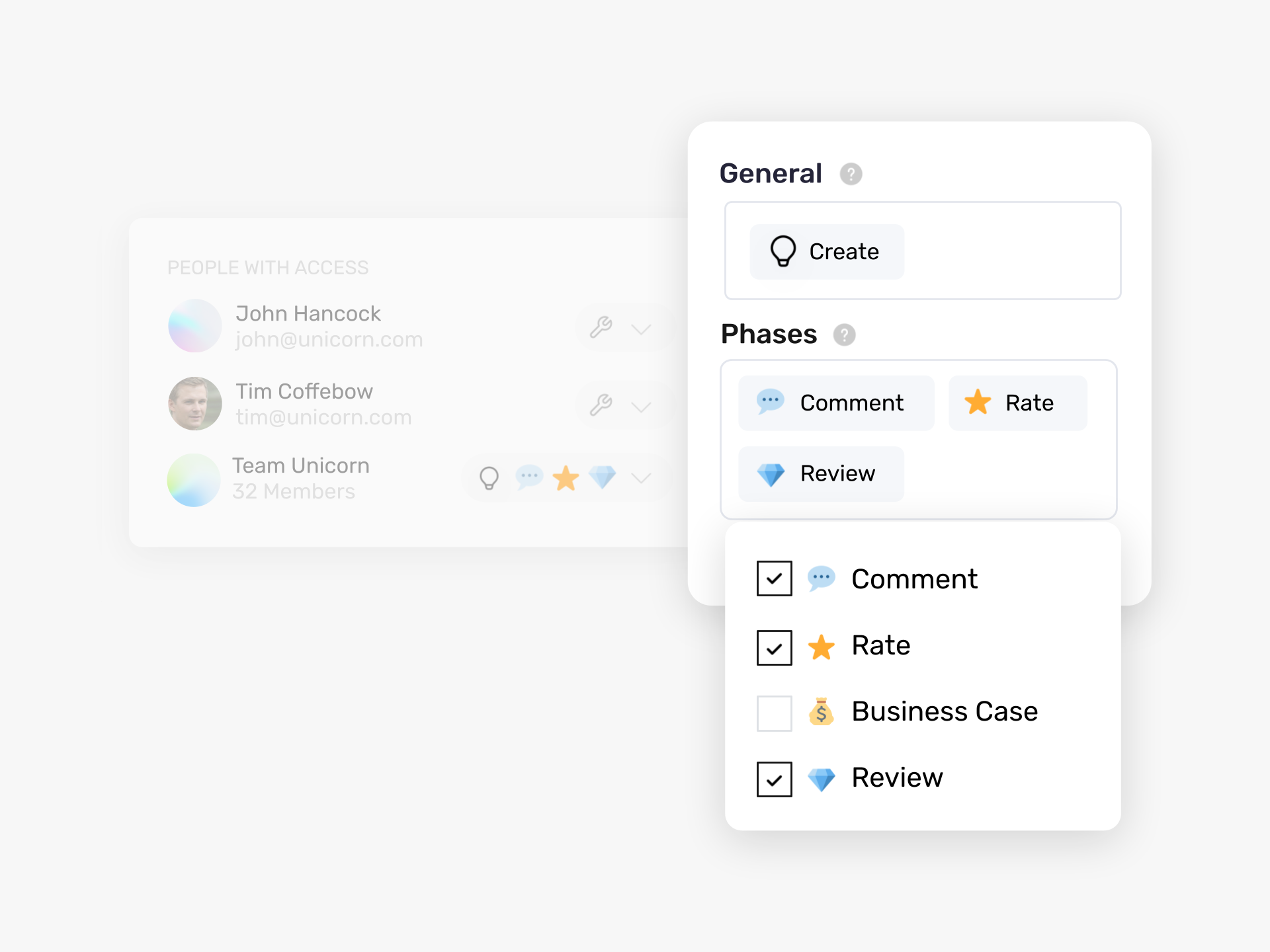
Your innovation process moves through phases. Each phase requires different actions. Set permissions per phase to control contributions. One team rates ideas in an evaluation phase. Another team completes business cases in a separate phase. A third group reviews final proposals.
You control visibility too. Hide certain phases from general contributors. Show financial data only to decision-makers. Let employees submit ideas without seeing other submissions. Create views that only evaluators or executives see.
Team-Based Access
Group users into teams and assign permissions by team. External advisors get guest access with limited rights. Subject matter experts access rating phases. Department leaders see ideas relevant to their area.
This approach scales across your organization. Define your process once and adjust permissions as your innovation program grows.
Who Can See Ideas in a Collection by Default?
When you create an idea collection, only you see it as the creator. You decide who to share it with next. You might share it with your entire workspace so everyone submits ideas, or you might limit access to specific teams or individuals.
This means you control visibility from the start. No one accidentally sees ideas meant for another department or leadership group.
Can We Hide Certain Phases or Content From Specific Users?
Yes. Access in Ideanote works at the phase level. Each phase in your process has a specific action, like commenting, rating, or completing a business case. You decide who contributes to each phase.
For example, you allow one team to rate ideas in a Rating phase while another team handles the Expand phase for detailed form entries. People only see and do what you assign them to do. You also control which custom views are visible to contributors versus admins or evaluators.
Can Employees Submit Ideas Without Seeing What Others Submitted?
Yes. You set permissions so contributors can create ideas but not view other submissions. This works well for competitions or situations where you want unbiased input.
You configure this when you set up your idea collection. Contributors submit their ideas, and only admins or designated evaluators see all submissions.
Who Decides When an Idea Moves From One Phase to the Next?
You decide. When you set up your process, you assign permissions for each phase. You might allow managers to move ideas forward, or you might restrict that action to a specific review committee.
This keeps your process controlled and ensures ideas advance only when the right people approve them.
Can We Limit Who Rates or Evaluates Ideas?
Yes. You use a Rating phase and specify who contributes to it. You might invite subject matter experts, a judging panel, or a leadership team to evaluate ideas.
Other users see ideas but do not rate them. This ensures evaluation stays with the people who have the expertise or authority to make those decisions.
Can We Give Different Access to Different Departments or Teams?
Yes. You create teams in Ideanote, then assign those teams specific permissions for collections, phases, or views. One department might manage ideas in their own collection, while another department only views a summary dashboard.
You set this up per collection and per phase. This approach scales well when you have many departments or a large user base.
Can External Advisors or Guests Access the Platform With Limited Permissions?
Yes. Ideanote includes Guest and Ghost user ranks. You invite external users to specific collections or phases and control what they see and do.
For example, an external advisor might rate ideas in a specific phase but not see your entire workspace. You decide their level of access when you invite them.
Can We Show Dashboards or Reports Only to Executives?
Yes. You create custom views within your idea collections and specify who sees each view. You might create a chart view visible only to users with full access, such as executives or workspace admins.
This keeps sensitive data or high-level reporting private while allowing contributors to focus on submitting and developing ideas.



Smart and Easy Idea Management
Talk to our Experts or try Ideanote for free. No credit card required.

