

Rating scales you can customize.
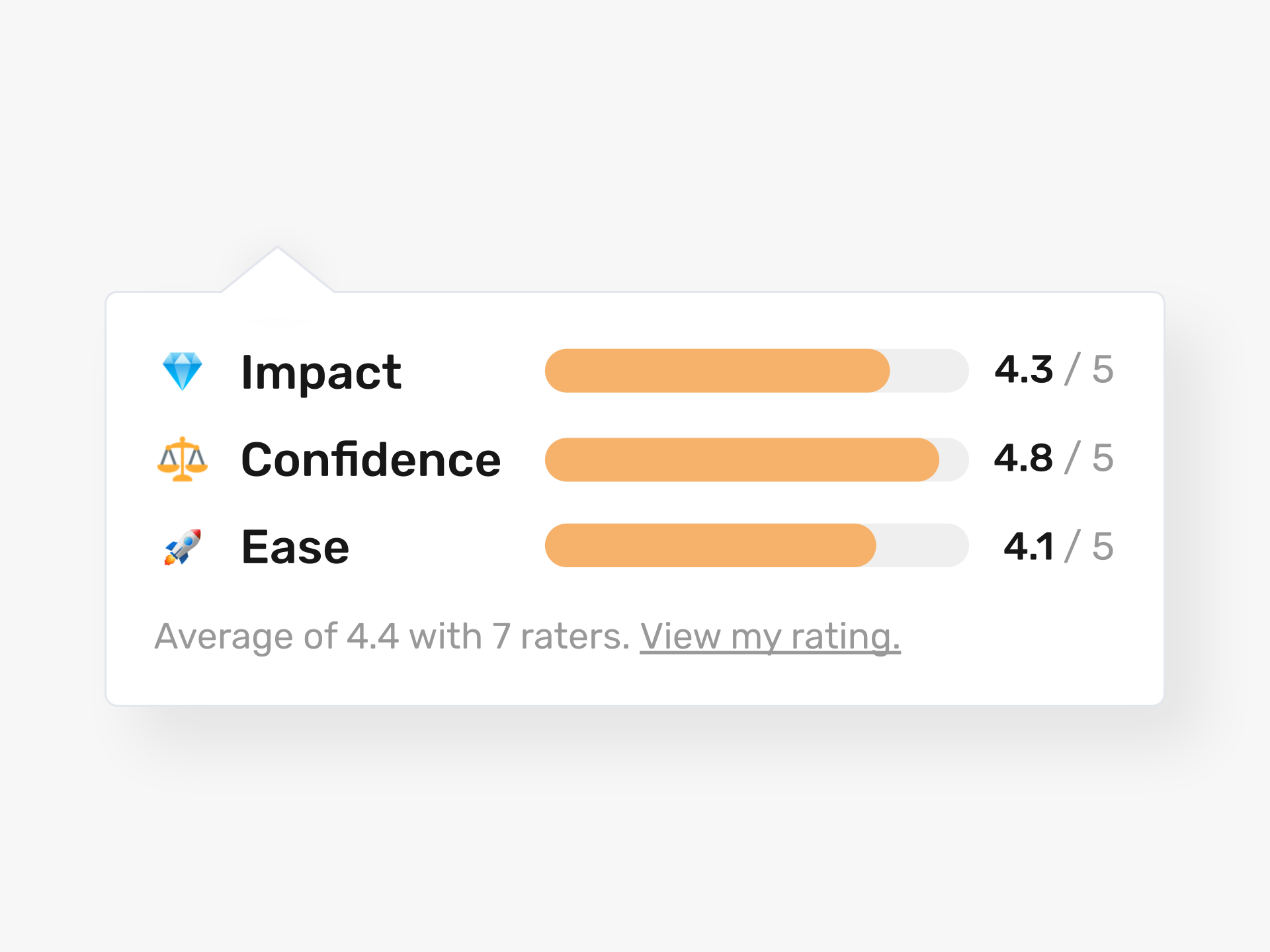
Rate ideas on their impact, confidence, ease or any other custom scale you define.
How Do You Move the Right Ideas Forward?
Most organizations struggle to separate strong ideas from weak ones. Likes alone do not tell you which ideas will drive real results. You need a structured way to evaluate ideas against the criteria that matter to your business.
Ideanote gives you complete control over how ideas are scored. You define custom rating criteria at the workspace level. Ask questions like "How actionable is this idea?" or "What is the financial feasibility?" Set your own scale, from 1 to 10 or any range that fits your process. Add weighted ratings so high-impact criteria count more in the final score.
You decide who evaluates. Restrict rating to expert panels, open it to all employees, or run multiple rating phases with different evaluator groups at each stage. Keep evaluators anonymous to reduce bias. Hide ratings from idea submitters until evaluation is complete.
Automate what happens next. Set rules to move ideas forward based on score thresholds or route them to the right department automatically. Filter and sort ideas by any rating dimension to shortlist the best candidates.
Your evaluators see a clean view of ideas they still need to rate. The process is fast and clear, so people actually complete it. When evaluation is easy, ideas keep moving and your innovation program delivers results.
How Does Idea Evaluation and Rating Work?
You decide who evaluates ideas and when. In your workflow, you add one or more rating phases. During a rating phase, invited evaluators score each idea against criteria you define. Each criterion asks a question (like "How actionable is this idea?") and uses a numeric scale you choose, from 1 to 4, 1 to 5, 1 to 6, or 1 to 10.
Evaluators see the ideas assigned to them, rate each one, and optionally add a comment explaining their score. Once rated, Ideanote calculates the average across all evaluators for each criterion. You control who sees the ratings and who does the scoring.
Can We Customize the Evaluation Criteria?
Yes. You define your own criteria at the workspace level. For each criterion, you set the question, the scale, the short title (like "Impact" or "Ease"), and labels for the low and high ends of the scale. You also add descriptions that appear on hover to guide evaluators.
You apply these criteria to any rating phase in your workflow. Different phases can use different criteria, so you can run staged evaluations with different questions or different evaluator groups.
Can We Weight Certain Criteria More Than Others?
Yes. When you calculate average scores, you assign weights to each criterion. For example, in an Impact, Confidence, Ease (ICE) model, you can set Impact to count twice as much as Confidence and Ease. Ideanote applies the weights when computing the overall average for each idea.
Who Can Rate Ideas, and Can We Restrict it to Specific People?
You control who evaluates ideas in each rating phase. You can limit evaluation to a select group of experts or managers, open it to everyone in your workspace, or share a link to allow external evaluators. You decide on a phase-by-phase basis.
You can also run multiple rating phases with different evaluator groups. For example, employees might vote in one phase, and a leadership team scores in another phase using different criteria.
Are Evaluators Anonymous?
You control what people see. You can hide rating activity from idea submitters and other non-evaluators, so they do not know who scored what. Evaluators themselves see their own ratings, and workspace admins see all ratings and evaluator names in the backend.
Can We Filter and Sort Ideas by Their Ratings?
Yes. You filter and sort ideas by any rating criterion or by the overall average. For example, you can view only ideas with high impact and low cost, or sort by the highest-rated ideas overall. This makes shortlisting straightforward.
Can We Automate What Happens After Ideas Are Rated?
Yes. You set up workflow automations based on rating scores, time, or other conditions. For example, when three people have rated an idea and the average is below 2.5, move it to archive. If the average is above 4, route it to the next phase or notify a specific team. Automations reduce manual triage and keep ideas moving.
Can We Notify Evaluators When New Ideas Are Ready to Rate?
Yes. You set up custom notifications when ideas enter a rating phase. Evaluators receive an alert and can see a filtered view showing only the ideas they still need to score. This makes it easy for them to complete their reviews.



Smart and Easy Idea Management
Talk to our Experts or try Ideanote for free. No credit card required.

