

Comment Maintenir une Innovation Structurée Entre les Départements, les Équipes et les Sites ?
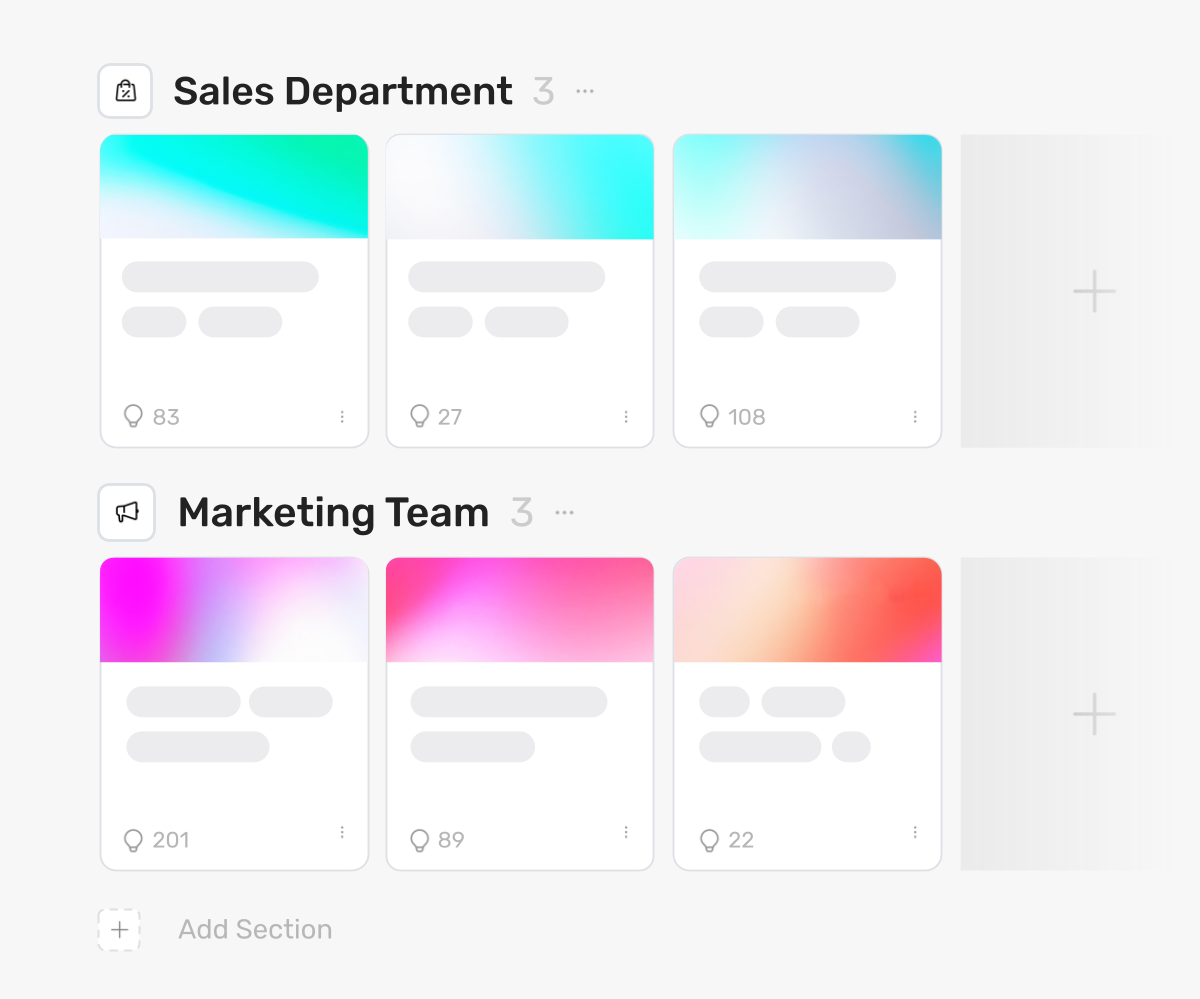
Lorsque votre organisation gère plusieurs collectes d'idées, vous avez besoin d'un moyen de les organiser. Les sections vous permettent de diviser votre espace de travail en zones qui reflètent votre structure organisationnelle : départements, équipes, lieux géographiques ou sujets.
Vous créez des sections comme des regroupements visuels dans votre espace de travail. Chaque section contient les collectes d'idées pertinentes pour ce groupe. Une section produit contient les collectes liées aux produits. Une section RH contient les collectes RH. Une section Londres contient les collectes pour votre bureau de Londres.
Chaque section a ses propres propriétaires. Ces propriétaires gèrent et modifient les collectes uniquement dans leur section. Un chef de département contrôle les efforts d'innovation de son département sans accéder aux autres. Un responsable régional gère les programmes pour son emplacement de manière indépendante.
Vous contrôlez qui voit quoi. Limitez la visibilité afin que les équipes ne voient que leurs sections et collectes pertinentes. Exécutez des programmes pour différents clients dans des sections séparées où chaque client n'accède qu'à son contenu. Segmentez par usine, département ou niveau de rôle.
Les organisations utilisent les sections pour étendre l'innovation à travers les groupes d'entreprises, des centaines d'équipes et de nombreux départements. La structure reste claire à mesure que vous passez de trois collectes à trente.
Les sections vous donnent les blocs de construction pour refléter votre organisation dans Ideanote et maintenir les efforts d'innovation organisés à mesure que vous évoluez.
Comment les sections m'aident-elles à structurer l'innovation au sein de mon organisation ?
Les sections vous permettent de diviser votre espace de travail en zones visuelles qui reflètent votre structure organisationnelle. Vous créez des sections pour les départements, les équipes ou les lieux géographiques, puis placez les collectes d'idées pertinentes à l'intérieur de chaque section.
Cette structure maintient l'innovation organisée à mesure que vous passez de quelques collectes à des dizaines ou des centaines à travers votre organisation. Chaque section agit comme un espace dédié où les équipes ou les départements gèrent leurs propres activités d'innovation tout en restant dans votre espace de travail unifié.
Qui peut voir les idées dans les différentes sections ?
Vous contrôlez la visibilité pour chaque section. Vous décidez quels utilisateurs ou groupes ont accès pour visualiser et participer à des sections spécifiques.
Cela signifie que votre service RH voit les idées liées aux RH, votre équipe produit voit les idées de produits, et la direction voit tout ce qu'elle doit voir. Les équipes n'accèdent qu'au contenu pertinent pour leur travail, ce qui maintient l'expérience ciblée et organisée.
Que fait un propriétaire de section ?
Un propriétaire de section gère toutes les collectes d'idées au sein de sa section assignée. Il crée, modifie et contrôle le contenu de sa section sans avoir de droits d'administrateur sur d'autres sections ou sur l'ensemble de l'espace de travail.
Cette délégation permet aux chefs de département ou aux chefs d'équipe de gérer leurs propres programmes d'innovation de manière indépendante. Ils gèrent les collectes, les phases et les paramètres de leur section pendant que vous maintenez une supervision et un contrôle centralisés de l'espace de travail.
Puis-je exécuter des programmes d'innovation dans plusieurs lieux simultanément ?
Oui. Vous créez des sections pour chaque lieu, puis lancez des programmes spécifiques à ces sections. Chaque lieu gère ses propres collectes au sein de sa section.
Vos bureaux dans différentes villes ou pays exécutent des programmes parallèles sans interférer les uns avec les autres. Les équipes de chaque lieu voient leur contenu pertinent pendant que vous suivez les progrès de tous les lieux depuis le niveau de l'espace de travail.
Les différents départements peuvent-ils avoir leurs propres flux de travail ?
Chaque collecte d'idées au sein d'une section a ses propres phases et flux de travail. Votre équipe produit configure les phases pour les idées de produits, tandis que votre équipe d'opérations met en place des phases différentes pour les améliorations de processus.
Les propriétaires de section personnalisent les collectes pour répondre aux besoins de leur département. La structure prend en charge différentes approches de gestion des idées à travers les équipes tout en maintenant la cohérence au niveau de l'espace de travail.
Puis-je utiliser les sections pour séparer le contenu pour différents clients ?
Oui. Créez une section pour chaque client et contrôlez l'accès afin que les clients ne voient que leur propre section. Cela maintient tout votre travail client dans un seul espace de travail tout en assurant une séparation complète.
Les consultants et les agences utilisent cette approche pour gérer plusieurs clients simultanément. Chaque client accède à sa section dédiée sans voir les idées ou les activités des autres clients.
Comment les sections évoluent-elles à mesure que mon programme d'innovation se développe ?
Vous ajoutez de nouvelles sections selon les besoins. Commencez avec quelques sections pour les départements clés, puis étendez-vous pour inclure davantage d'équipes, de lieux ou d'unités commerciales à mesure que votre programme se développe.
Les organisations commencent avec trois à cinq sections et passent à des dizaines ou des centaines. La structure reste claire car chaque section a un objectif et un propriétaire définis. Cette approche soutient la croissance sans créer de confusion ni perdre en clarté organisationnelle.
Ne laissez plus les idées se perdre entre les post-it, les e-mails et les chats. Il est temps de lancer une collecte d'idées axée sur les objectifs pour vos clients et employés.


Gestion d'idées intelligente et facile
Contactez nos Experts ou essayez Ideanote gratuitement. Aucune carte bancaire requise.

