

واجهة جمع الأفكار للمواقع الإلكترونية والتطبيقات
اجمع الأفكار من العملاء والشركاء والموظفين عبر نموذج متعدد الخطوات قابل للتضمين مع تسجيل الدخول الموحد (SSO) والدخول المجهول والتحكم في التصميم.
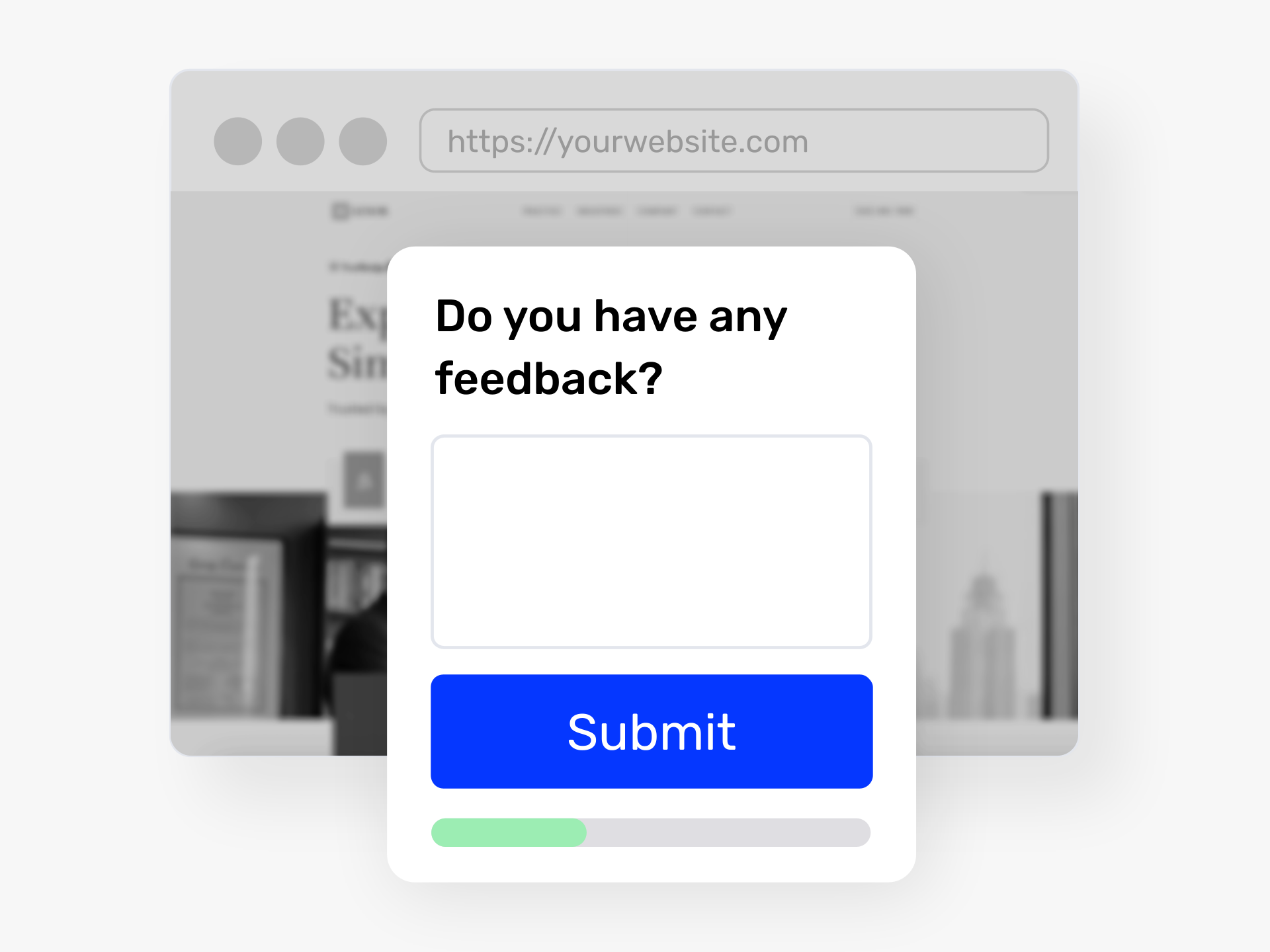
أين تعيش أفكارك عندما يكون المساهمون في كل مكان؟
تقضي فرقك وعملاؤك وشركاؤك وقتًا بالفعل على موقعك الإلكتروني، داخل منتجك، على SharePoint، أو في بوابة الموظفين لديك. تجلب واجهة جمع الأفكار عملية تقديم الأفكار إلى حيث يتواجد الأشخاص بالفعل.
ادمج الواجهة على أي صفحة ويب خارجية أو شبكة داخلية (إنترانت) أو تطبيق. شارك رابطًا مباشرًا أو أنشئ رمز QR للموظفين في الخطوط الأمامية أو المرضى أو حضور الفعاليات. يوجه النموذج متعدد الخطوات المساهمين خلال عملية التقديم مع شريط تقدم، مما يحافظ على معدل الانقطاع منخفضًا ومعدلات الإنجاز عالية.
أنت تتحكم في من يقدم وكيف. اطلب تسجيل الدخول الموحد للمشاركات الآمنة والموثقة. اسمح للأشخاص بتسجيل الدخول باستخدام حساب Google أو Microsoft الخاص بهم. أو اسمح بالمشاركات المجهولة دون الحاجة لتسجيل الدخول. لا يُحتسب المساهمون المجهولون ضمن حد المستخدمين لديك، لذلك تدفع فقط مقابل الأعضاء الذين لديهم عناوين بريد إلكتروني.
صمم الواجهة لتتناسب مع علامتك التجارية. خصص شاشة الترحيب والخطوط والألوان ورسالة الشكر. حدد حقول النموذج، وأضف منطقًا شرطيًا، وادمج إخلاء المسؤولية القانونية أو الشروط أثناء التقديم.
تتدفق كل فكرة مباشرة إلى مساحة عمل Ideanote الخاصة بك، حيث يقوم فريقك بتقييمها وتحديد أولوياتها والعمل عليها. تحصل على مدى وصول نموذج عام مع هيكل وسير عمل منصة ابتكار كاملة.
أين يمكنني تضمين واجهة جمع الأفكار؟
يمكنك تضمين الواجهة على موقع شركتك الإلكتروني، داخل واجهة منتجك، على شبكتك الداخلية (الإنترانت)، أو على صفحات SharePoint. تعمل الواجهة في أي مكان ترغب في جمع الأفكار من جمهورك.
يمكنك مشاركة الواجهة كرابط مباشر، أو تضمينها كإطار iframe على صفحات خارجية، أو عرضها كنافذة منبثقة. تعمل رموز QR أيضًا بشكل جيد للمساحات المادية أو المواد المطبوعة.
هل يمكن للأشخاص تقديم الأفكار دون إنشاء حساب؟
نعم. أنت تحدد كيفية عمل المصادقة لكل واجهة. يمكن للأشخاص تقديم الأفكار دون أي تسجيل أو تسجيل دخول على الإطلاق. لن يحتاجوا إلى النقر على أي أزرار مصادقة.
عندما يقدم الأشخاص دون مصادقة، لا يتم إنشاء حسابات مستخدمين ولا يُحتسبون ضمن حد المستخدمين لديك. لن تتمكن من الاتصال بهم مباشرة، لكن أفكارهم ستتدفق إلى مساحة عملك.
هل تدعم الواجهة تسجيل الدخول الموحد؟
نعم. يمكنك تهيئة الواجهة لطلب مصادقة تسجيل الدخول الموحد. هذا يحافظ على أمان المشاركات ويضمن أن كل من يقدم هو عضو موثق في مؤسستك.
عندما يصادق الأشخاص عبر تسجيل الدخول الموحد (SSO) من خلال الواجهة، يصبحون أعضاء تلقائيًا في مساحة عملك. يعمل هذا بشكل جيد عندما تقوم بتضمين الواجهة خلف تسجيل دخول موجود على موقعك الإلكتروني أو بوابتك الداخلية.
هل يُحتسب المساهمون الخارجيون ضمن حد المستخدمين لدي؟
يعتمد ذلك على كيفية تهيئة المصادقة. الأشخاص الذين يقدمون الأفكار دون أي تسجيل دخول أو عنوان بريد إلكتروني لا يُحتسبون ضمن حد المستخدمين لديك.
إذا قام الأشخاص بالتسجيل بعنوان بريد إلكتروني أو المصادقة عبر تسجيل الدخول الموحد (SSO) أو حسابات Gmail أو Microsoft، فإنهم يصبحون مستخدمين ويُحتسبون ضمن حدك. أنت تتحكم في هذا الإعداد عند تهيئة كل واجهة.
كيف يعمل النموذج متعدد الخطوات على تحسين معدلات التقديم؟
تقسم الواجهة عملية تقديم الأفكار إلى خطوات أصغر مع شريط تقدم. هذا يوجه الأشخاص خلال العملية ويقلل من معدل الانقطاع بجعل كل خطوة تبدو قابلة للإدارة.
يركز التصميم على تحسين التحويل. يرى الأشخاص فقط ما يحتاجونه في كل مرحلة، مما يحافظ على دوافعهم لإكمال التقديم.
هل يمكنني تخصيص شكل الواجهة؟
نعم. أنت تحدد شاشة الترحيب، وشاشة النجاح، والخطوط، والألوان، والتصميم العام. تتكيف الواجهة لتتناسب مع علامتك التجارية.
أنت تتحكم أيضًا في حقول النموذج التي تظهر وبأي ترتيب. يتم دعم الحقول الشرطية، بحيث يمكنك إظهار أو إخفاء الأسئلة بناءً على الإجابات السابقة.
هل يمكنني إلغاء الوصول إلى رابط الواجهة بعد مشاركته؟
نعم. أنت تتحكم في الوصول إلى كل واجهة. إذا شاركت رابطًا علنًا وترغب في إغلاق المشاركات، يمكنك تعطيل الرابط أو تقييد الوصول في أي وقت.
يمنحك هذا تحكمًا تشغيليًا حول متى وأين يمكن للأشخاص تقديم الأفكار. يمكنك فتح وإغلاق الحملات حسب الحاجة.
هل يمكنني الإشراف على الأفكار أو مراجعتها قبل ظهورها في مساحة عملي؟
الأفكار المقدمة من خلال الواجهة تهبط في مجموعة أفكار في مساحة عملك. يمكنك أنت وفريقك مراجعة المشاركات أو الإشراف عليها أو تعديلها أو إزالتها حسب الحاجة.
يتيح لك ذلك الحفاظ على مراقبة الجودة والتأكد من أن المنصة تظل مركزة على الملاحظات البناءة بدلاً من الشكاوى أو المحتوى غير ذي الصلة.
توقف عن فقدان الأفكار عبر القصاصات، الرسائل الإلكترونية والدردشات. حان الوقت لإطلاق جمع الأفكار الموجهة بالأهداف للعملاء والموظفين.


إدارة الأفكار الذكية والسهلة
تحدث إلى خبرائنا أو جرب آيديا نوت مجانًا. لا داعي لبطاقة ائتمان.

