

Centralized Workspace For Enterprise Idea Management
One secure hub for ideas. Structure by team, department, or client. Use workflows, AI, and analytics to prioritize and track impact.
Why Do Ideas Get Lost Across Teams, Tools, and Documents?
When ideas live in emails, spreadsheets, and separate tools, you lose visibility. You miss opportunities. Your teams spend time searching instead of building.
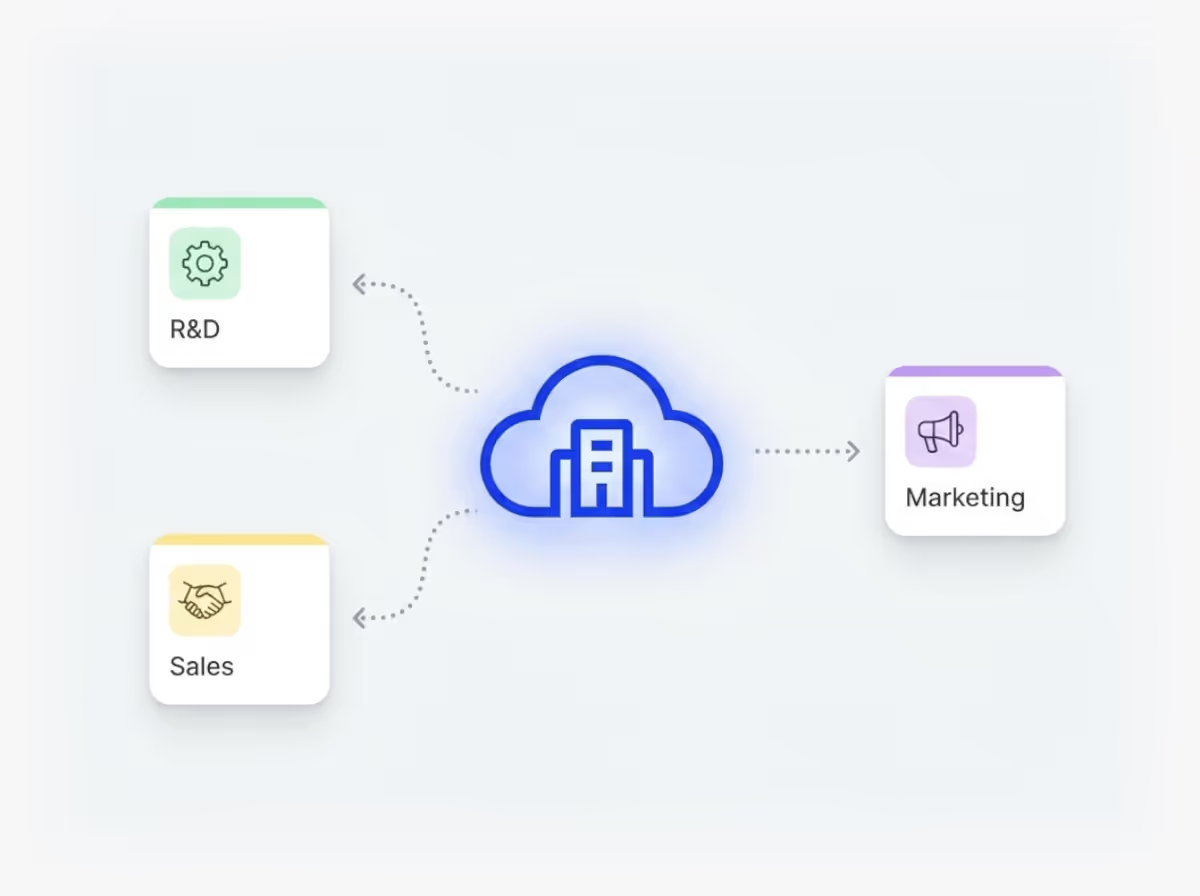
Ideanote gives you a centralized workspace where all your ideas live. Structure your workspace by teams, departments, geographic regions, or clients. Each section holds idea collections on specific topics. Ideas move through clear phases so everyone knows what happens next.
You control who sees what. Set access rights for different groups. Show leadership a full portfolio view while teams focus on their own collections. Track ideas across all collections in one place. See how many ideas are in each phase. Follow your entire pipeline from one view.
Your workspace lives on your own subdomain. Choose where your data is hosted: EU, US, Canada, or another region. Integrate with Active Directory to onboard employees. Connect with Microsoft Teams. Embed submission forms in SharePoint. Export data to Power BI or other tools.
Build repeatable processes with workflow templates. Clone collections for new campaigns. Track engagement, measure ROI, and report impact from centralized dashboards.
Your organization builds an innovation brain over time. Employees know where their ideas go. Leaders see the full picture. Innovation becomes predictable and scalable across your enterprise.
How does the centralized workspace structure work?
Your workspace sits on a dedicated subdomain (like mycompany.ideanote.io) where your employees log in. Inside, you create sections to match your organizational structure, whether by department, geography, team, or topic. Within each section, you set up idea collections focused on specific themes or initiatives. Ideas move through phases in these collections, giving you a clear path from submission to implementation.
This structure means you have one place for all ideas across your organization, with the flexibility to organize them in a way that makes sense for your business. Marketing ideas, product feedback, process improvements, and innovation initiatives all live in the same hub, with the structure you need to manage them separately.
Can we segment the workspace for different teams or clients?
Yes. You create sections within your workspace to separate content by team, department, client, or any other category you need. Each section holds its own collections and ideas. You control who sees what through access permissions, so different teams only see content relevant to them.
If you work with multiple clients or manage ideas across departments, you set up separate sections for each one. A client in one section won't see ideas from another client's section. The same applies to departments. You get centralized management with the segmentation and privacy controls you need.
Can we control who sees what inside the workspace?
Yes. You set access permissions at multiple levels. You decide which users or teams see which sections, collections, and ideas. A stakeholder group sees different content than an ideation champion. Engineers submit ideas without seeing what others submitted if that's how you want to configure it.
This gives you centralized visibility at the management level while maintaining granular control over what different groups access. Your leadership team gets a full portfolio view, while individual contributors only see what's relevant to their role or department.
Can we see a portfolio view across all collections?
Yes. You get workspace-wide views that show ideas across all collections and sections. You see how many ideas are in each phase across your entire innovation pipeline. You filter by phase, department, or status to track progress on specific initiatives or across the whole organization.
This centralized portfolio view means you move away from tracking ideas in separate documents or spreadsheets. You see your entire innovation pipeline in one place, making it easier to allocate resources, spot bottlenecks, and report on progress to leadership.
What analytics and reporting features are available?
The workspace includes dashboards that track engagement metrics, idea volume, participation rates, and implementation progress. You drill down from charts to see the underlying data. You track KPIs and measure the impact of implemented ideas. Multiple dashboards let you create different views for different audiences or purposes.
You export data to spreadsheets or connect to Power BI for further analysis. This centralized reporting hub means decision-makers get the data they need without chasing down information from multiple sources. You track innovation performance across departments and demonstrate ROI on your innovation programs.
Does the platform scale for enterprise-wide use?
Yes. The workspace supports large employee bases and high volumes of ideas. Organizations with thousands of employees use Ideanote to manage ideas across multiple departments, regions, and initiatives. The structure and permissions system is built to handle complex organizational setups without performance issues.
As you grow your innovation program, you add more sections, collections, and users without rebuilding your setup. The workspace grows with your needs while maintaining the centralized control and visibility you established from the start.
Can we reuse templates and workflows across collections?
Yes. You save workflows as templates and apply them to multiple collections. When you run similar campaigns or idea challenges across different departments or time periods, you clone existing setups instead of starting from scratch each time.
This makes it faster to scale your innovation programs. Once you define a process that works, you replicate it across teams or regions. Your organization develops repeatable innovation processes that deliver consistent results.
How do integrations work with our existing tools?
The workspace integrates with Microsoft Teams, Active Directory, and other enterprise systems through APIs. You sync users and teams from Active Directory for easier onboarding. You embed submission forms on SharePoint pages or internal portals.
These integrations mean employees engage with the innovation workspace where they already work. You export data to project management tools or business intelligence platforms. The workspace becomes part of your existing technology ecosystem rather than another isolated tool.
Where is our data stored and how is it secured?
You choose which data region hosts your workspace when you set it up. Options include the EU, US, Canada, Saudi Arabia, and other regions. Your data stays in your chosen region to meet compliance requirements.
The workspace operates on a dedicated subdomain or custom domain that you control. Access requires authentication, and all data transfers are encrypted. You maintain ownership of your ideas and data while benefiting from enterprise-grade security infrastructure.

Gestion d'idées intelligente et facile
Contactez nos Experts ou essayez Ideanote gratuitement. Aucune carte bancaire requise.

